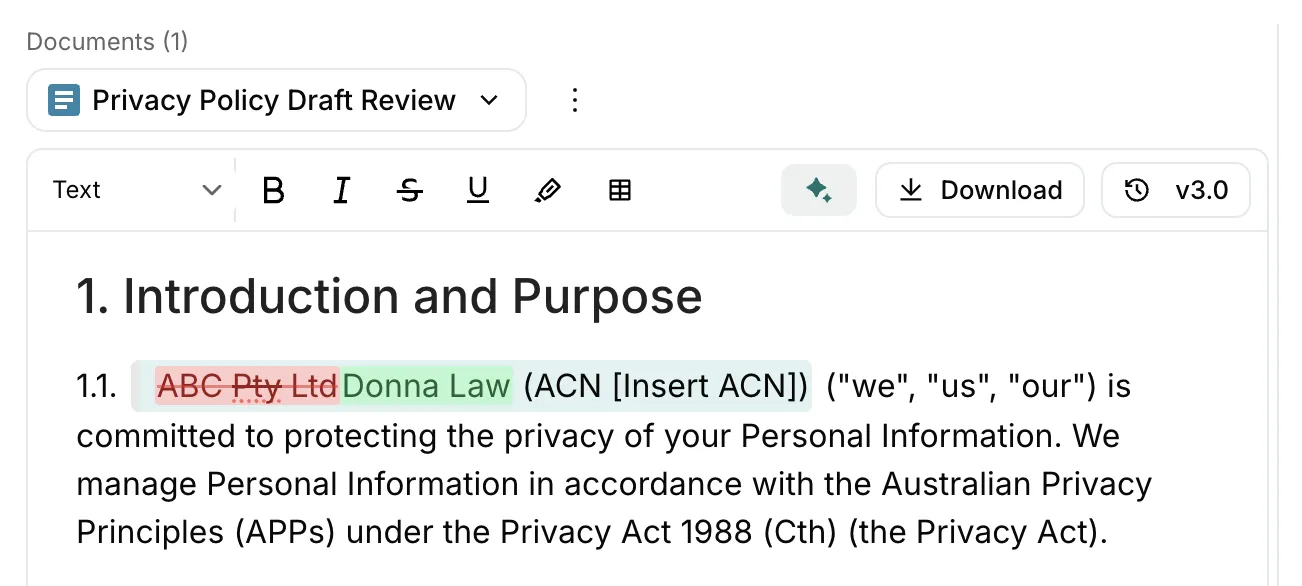
Smarter suggestions
Editor suggestions now come in 4 distinct types with colour-coded markups, so you can see exactly what's changing and why.
Suggestions used to be a wall of generic tracked changes. Useful, but hard to scan when a document has dozens of them. You had to read each one closely to understand what was actually being proposed.
Now every suggestion is classified as a Replace, Add, Remove, or Reformat, each with its own colour and layout. You can tell at a glance whether a suggestion is rewriting a clause, inserting new language, cutting something, or just fixing formatting. That makes it faster to triage a long list and focus on the changes that matter most.
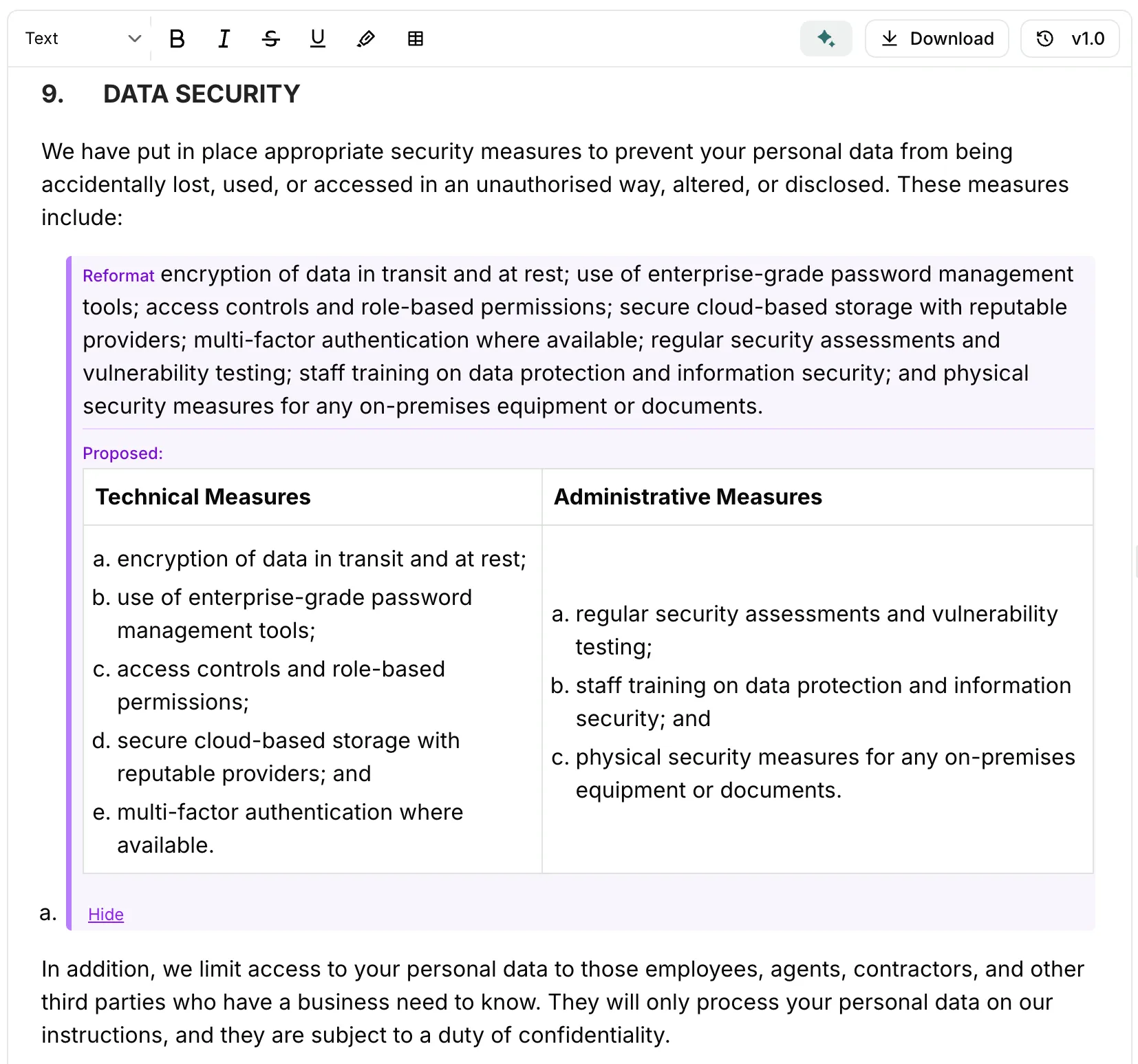
Each type gets its own visual treatment. Replacements show a word-level markup so you can see exactly what changed. Additions and removals are colour-coded blocks you can accept or reject without scrolling back and forth. Reformats include a collapsible before/after preview so you can verify nothing was lost.