Pick your model
New model switcher, parallelised document generation and model routing
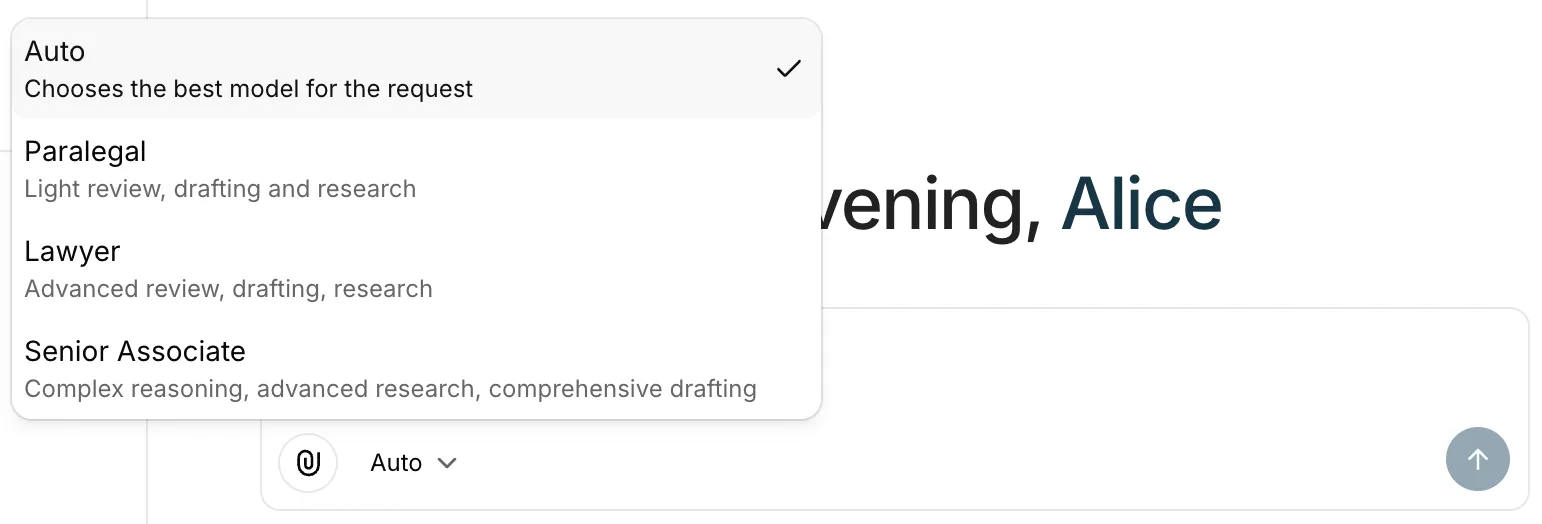
Model switcher
Power users can now choose between different AI modes when working in Parachute. Think of it as selecting the right level of expertise for the task at hand, from quick first passes to deeper, more considered analysis. Leave it on “auto” to let Parachute automatically select the best mode for the job.
Faster document generation
We reworked the document generation pipeline to run prompts in parallel where possible. Previously generated documents in a thread are no longer re-sent to the model, cutting unnecessary context and speeding up every subsequent draft.
Model routing
A new mapping and configuration layer lets us route different tasks to different models based on the task type and billing tier. This means we can match the right model to the right job: fast models for classification, capable models for drafting.